Built offline-first, not offline-later.
Not a paid extra, and nothing to download in advance. Everything works with no signal, and shared trips catch up the moment you're back online.
Log the taxi you just took
Add an expense mid-flight, in any currency. It's saved on your phone straight away.
No signal neededReshuffle tomorrow's plan
Move stops, change times, and add notes, with no connection at all.
No signal neededTick off the packing list
Check things off as you pack. The group's list syncs when you're back above ground.
No signal neededEverything the group needs, in one app.
Most groups juggle two or three apps: one for the plan, one for the map, and one for who owes what. SplitRoute is all of them.
Know what's now, and what's next.
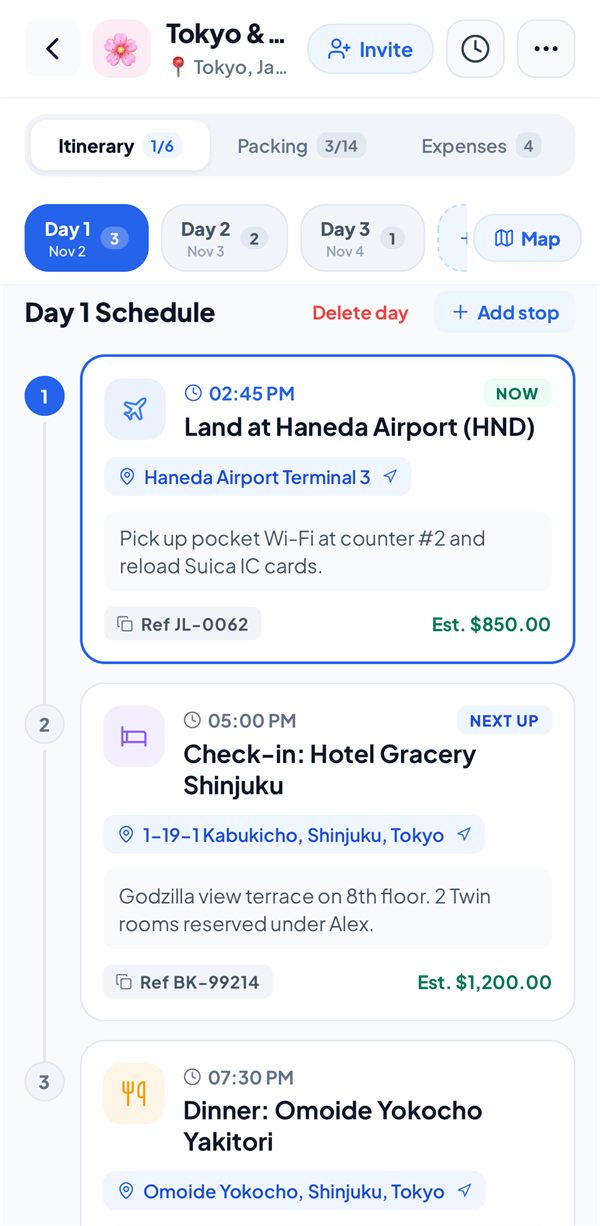
A day-by-day plan with times, places, bookings, and confirmation codes. On the day, the stop you're at says NOW and the next one says NEXT UP.
- A reminder before each stop, and three hours before a flight
- Booking references and notes on every stop
- See how far through the trip you are, stop by stop
A map made for the trip.
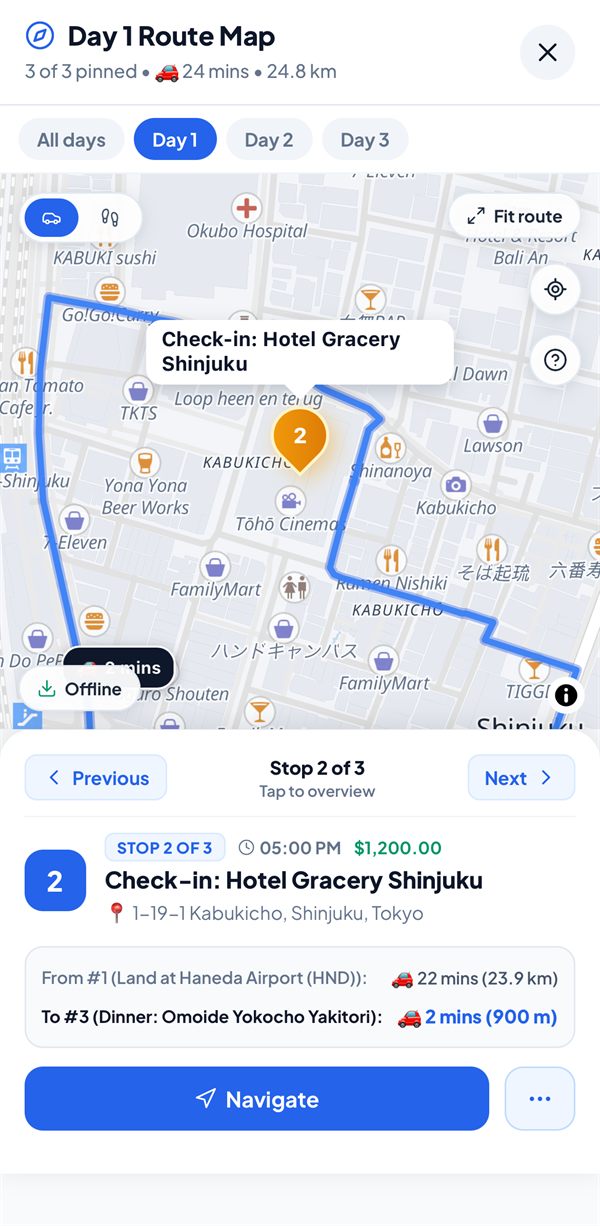
Every stop on a map, with real walking and driving routes between them. Save an area before you go, and the map works offline too.
- Your own position on the map, never sent anywhere
- Pin a place straight from the map
- Open any stop in Google Maps, Apple Maps, or Waze
Split it any way you like.
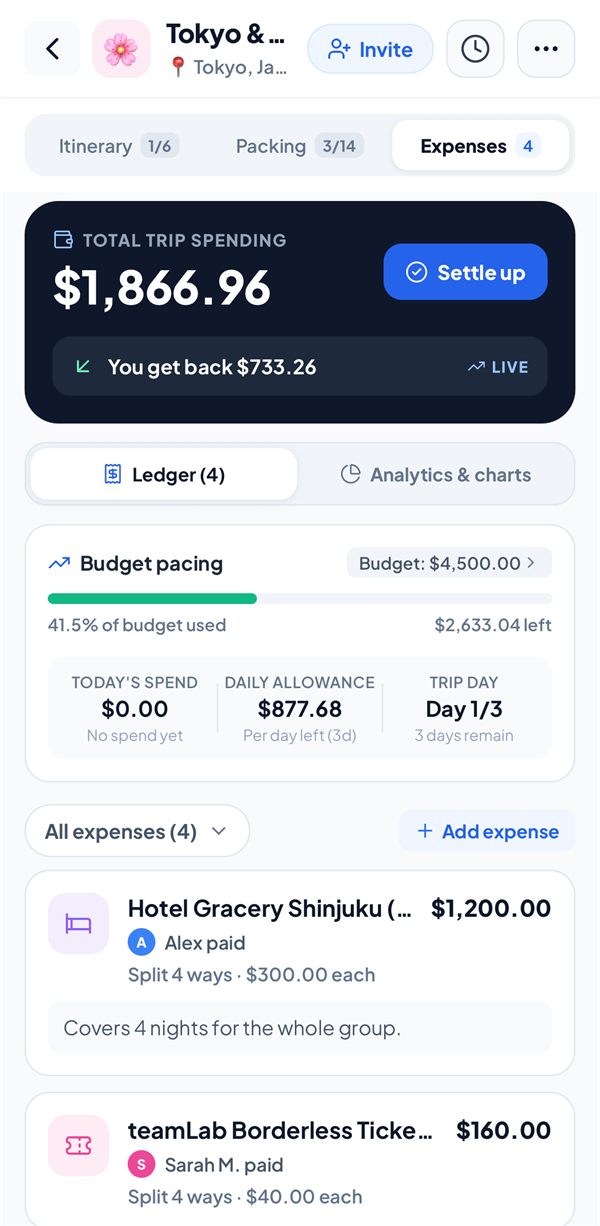
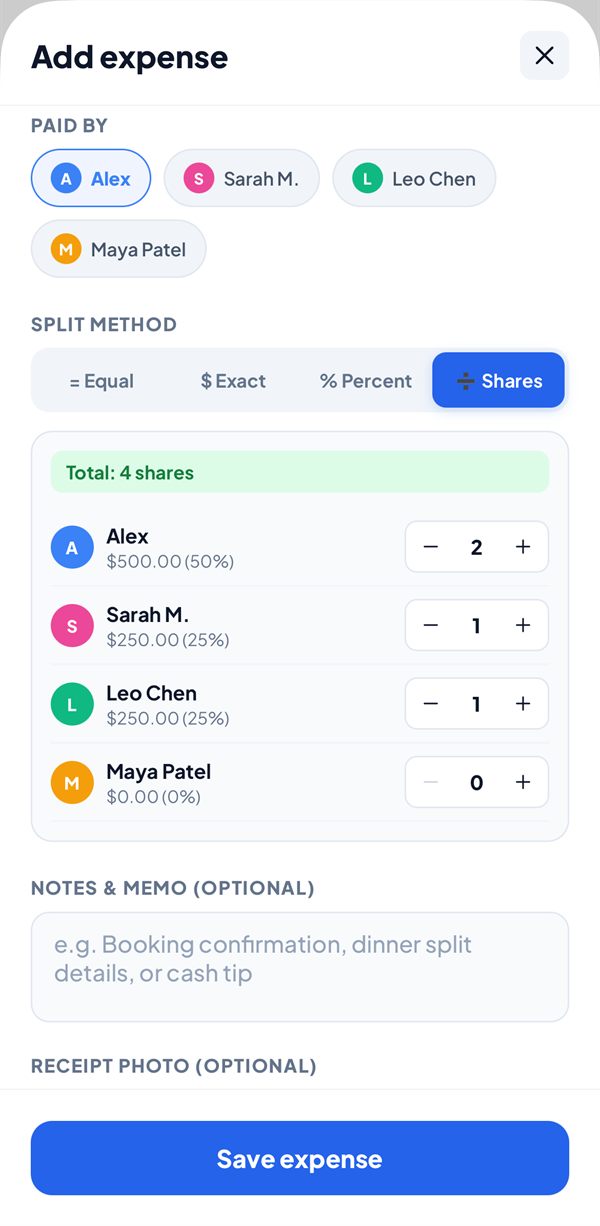
Equal, exact amounts, percentages, or shares, with no daily limits and no ads between entries.
- 46 currencies with live exchange rates, saved for when there's no signal
- Receipt photos on any expense
- Budget pacing, so you see the overspend coming
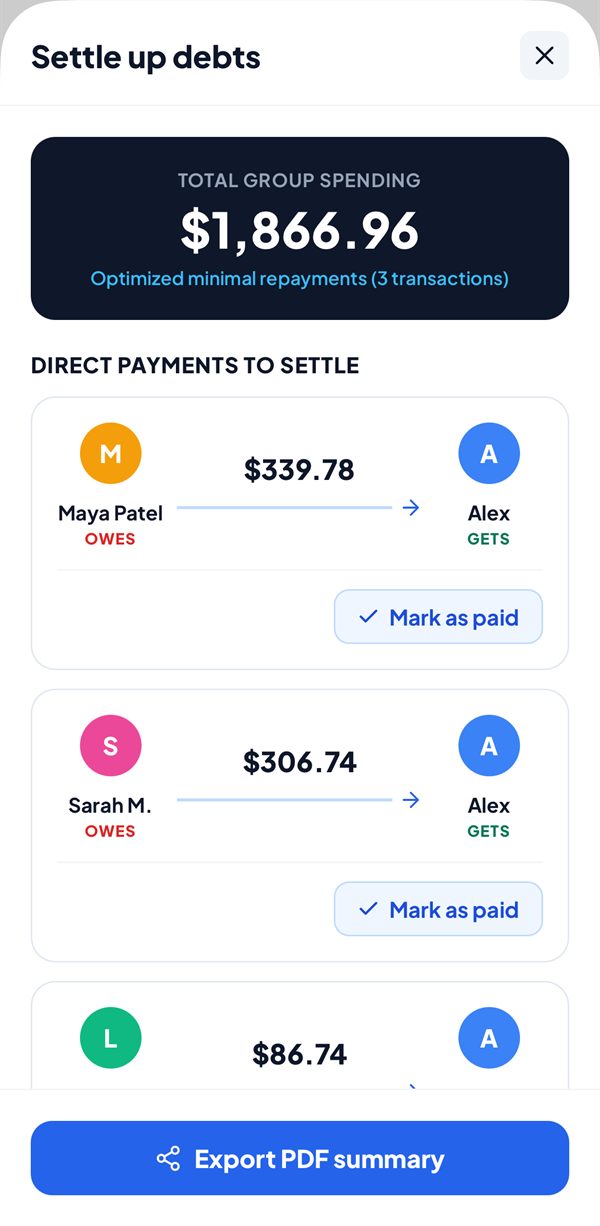
Settle up in the fewest payments.
SplitRoute works out who owes whom, and turns a tangle of IOUs into the fewest payments that clear them.
- Mark payments as paid as they happen
- Every balance in the trip's own currency
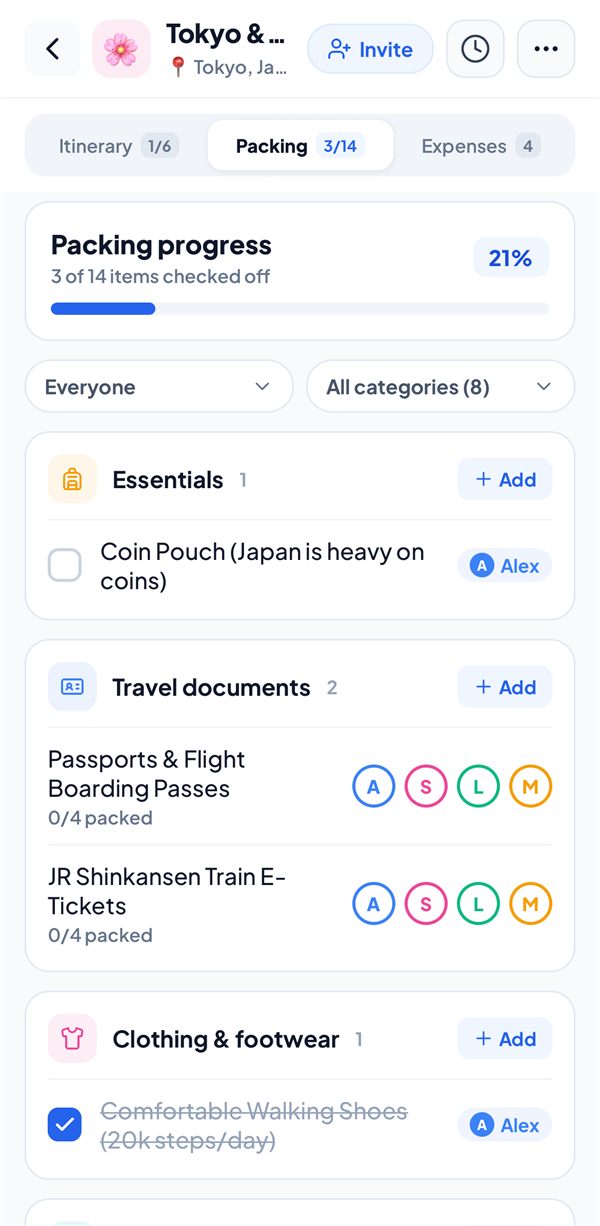
Pack together.
One shared list for the whole group. Assign items to whoever is bringing them, and see what's still missing.
- Suggested items for every category
- The group's progress as everyone packs
Nobody signs up. Ever.
No email, no password, and no sign-up wall. A trip is shared with an 8-character code, and whoever has the code is in.
Start a trip
Name it, pick the dates, and add your travel companions.
Share the code
Send the trip's code to the group, however you usually chat.
Plan together
Everyone edits the same trip, and changes sync whenever there's signal.
Free for one trip. One-time after that.
No subscriptions for travellers, and no ads on any plan.
Free
Everything for one active trip.
- Itinerary, map, weather, and packing
- Unlimited expenses, four ways to split
- Group sync with a trip code
- CSV export
Trip Pass
One more trip, when you need it.
- One extra active trip
- A PDF booklet and spreadsheet for that trip
- Pay once, no subscription
Lifetime
Every trip, forever.
- Unlimited active trips
- PDF booklets and multi-sheet spreadsheets
- Trip archive
- Future Pro features included
Prices in US dollars. The App Store and Google Play show the price in your own currency.
Your trips live on your phone.
A trip reaches the cloud only when you share it, and only for the people who have its code. Read the privacy policy.
No account
SplitRoute never asks for your name, email, or phone number.
No tracking
No ads and no analytics, in the app or on this site.
Your location stays put
Your position shows on the trip map, and is never sent or stored.
Good to know.
Does it really work with no signal?
Yes. Adding expenses, editing the plan, and ticking off packing all work offline, and so does any map area you save before you go. Shared trips sync the moment you're back online.
Does everyone need an account?
Nobody does. Everyone who wants to edit the trip installs SplitRoute and joins with the trip's code. That's it.
Is it a subscription?
Not for travellers. Free covers one active trip, and the Trip Pass and Lifetime are one-time purchases. Only the Operator plan for travel businesses is a subscription.
Can iPhone and Android friends share a trip?
Yes, a shared trip syncs between both. SplitRoute is on the App Store now, and coming to Google Play in November and Google Play.
How do I delete my data?
Delete the trip in the app. For shared trips and everything else, see how to delete your data.
Your next trip, sorted.
Free for your first trip. No account, no ads, and no signal needed.